
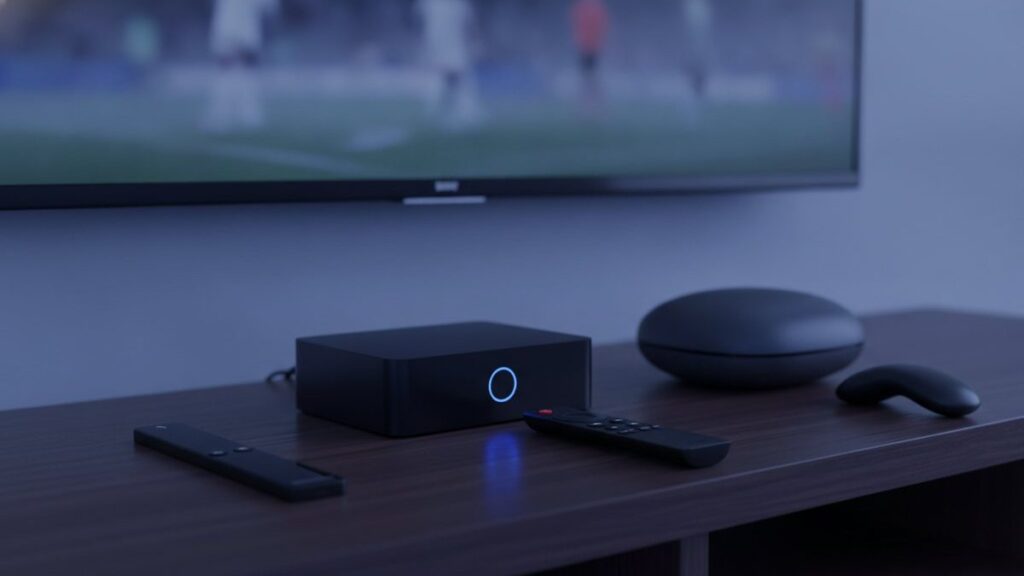
The best IPTV box for most people in 2026 is not a box at all: it is the Amazon Fire TV Stick 4K Max, which runs every IPTV app, handles 4K, and costs about $60. If you watch IPTV every day and want a proper remote and a cable-style guide out of the box, the Formuler Z11 Pro Max at about $190 is the best dedicated IPTV box. If money is no object, the Nvidia Shield TV Pro is still the fastest Android TV device you can buy. Those three cover almost every household; the rest of this list is for particular situations and budgets.
We support customers on all of these devices daily, and we own the ones ranked below. Prices are the US list prices on 5 September 2026 and they move around retailer sales, so treat them as a guide. None of the links on this page are affiliate links and no manufacturer was involved.
How we ranked them
Each device was set up from scratch with the same Titan IPTV login and used for at least a week in August 2026. We timed boot-to-guide, channel changes and the first EPG load in TiViMate or the box’s own player, checked 4K playback of a high-bitrate sports feed, tested Ethernet where present, and lived with the remote. The ranking weighs how well the box does IPTV specifically, then price, then everything else.
The boxes at a glance
| Device | Price (US) | Type | RAM | Ethernet | Best IPTV app | Best for |
|---|---|---|---|---|---|---|
| Fire TV Stick 4K Max | About $60 | Stick, Fire OS | 2 GB | With $10 adapter | TiViMate | Most people |
| Formuler Z11 Pro Max | About $190 | Dedicated IPTV box, Android 11 | 4 GB | Gigabit | MyTVOnline 5 (built in), TiViMate | Daily IPTV viewers |
| Nvidia Shield TV Pro | About $200 | Android TV box | 3 GB | Gigabit | TiViMate | Performance and upscaling |
| onn. 4K Pro (Walmart) | About $50 | Google TV box | 3 GB | Yes | TiViMate | Budget box with Ethernet |
| Google TV Streamer | About $100 | Google TV box | 4 GB | Gigabit | TiViMate | Clean Google TV, fast |
| BuzzTV Gen 5 | From about $90 | Dedicated IPTV box, Android | 2 to 4 GB | Yes | BuzzTV app, TiViMate | Formuler alternative |
| MAG 324 | About $80 | Linux portal box | 1 GB | Yes | Portal (built in) | Portal-only setups |
| Apple TV 4K | $129 to $149 | tvOS box | 4 GB | On the $149 model | iPlayTV, IPTV Smarters Player | Apple households |
| Fire TV Cube (3rd gen) | About $140 | Fire OS box | 2 GB | Yes | TiViMate | Fire OS with Ethernet built in |
1. Amazon Fire TV Stick 4K Max: best for most people
The Fire TV Stick 4K Max is the device we recommend to nine out of ten new customers, and the one most of them already own. It sideloads TiViMate and IPTV Smarters Pro in five minutes through the Downloader app, decodes 4K without complaint, and costs about $60, often less on sale. The current generation has Wi-Fi 6E and 2 GB of memory, which is enough for a 25,000-channel playlist and a full EPG. Boot to guide took about 25 seconds in our test and channel changes were under a second in TiViMate. Our Firestick setup guide covers the whole process.
Its two limits are memory and connectivity. Two gigabytes is fine for one playlist and one app; it is not fine for six playlists and four apps, and the stick will start closing apps in the background. And there is no Ethernet port, so on a weak Wi-Fi network you will want the $10 to $15 Ethernet adapter, which we consider part of the price.
Pros: Cheapest 4K path to every IPTV app; tiny; universally supported. Cons: 2 GB RAM; Ethernet needs an adapter; the Amazon home screen is full of ads.
2. Formuler Z11 Pro Max: best dedicated IPTV box
Formuler builds boxes for IPTV and nothing else, and the Z11 Pro Max is the current top of the range: an Amlogic S905X4 chip, 4 GB of RAM, 32 GB of storage, Wi-Fi 6, gigabit Ethernet and Android 11 with Google Play. The reason to buy it is MyTVOnline 5, the built-in player. It loads a portal or an Xtream login in seconds, its guide is as good as TiViMate’s, catch-up and recording are built in, and the remote has dedicated buttons for the guide, favourites and channel groups, which is the thing that people who watch every evening notice most. Setup is in our MAG and Formuler guide.
At about $190 it costs three Firesticks, and if you only watch a few evenings a week the difference is hard to justify. If you watch daily, or you are setting up a box for parents who want cable-style simplicity, it is the best experience on this list.
Pros: Purpose-built player and remote; 4 GB RAM; gigabit Ethernet; also runs TiViMate. Cons: Price; Android 11 rather than Google TV; overkill for occasional use.
3. Nvidia Shield TV Pro: best performance
The Shield TV Pro was released in 2019 and is still the fastest Android TV device for IPTV, which says something about the market. Its Tegra X1+ chip decodes every codec we threw at it at 4K60, its AI upscaling genuinely improves 1080p sports feeds on a big 4K panel, it has gigabit Ethernet and two USB ports, and Nvidia has kept updating it. TiViMate on a Shield is the smoothest IPTV experience we have measured: EPG in 20 seconds, channel changes in half a second.
It costs about $200, the same as the Formuler, without the IPTV-specific remote or player, and there is a persistent rumour of a successor that never arrives. Buy it if you also play games or run Plex; for pure IPTV the Formuler is the better $200.
Pros: Fastest decoding; excellent upscaling; Ethernet and USB; long update history. Cons: Price; ageing hardware; remote is average for TV guides.
4. onn. 4K Pro: best budget box
Walmart’s onn. 4K Pro is the surprise of the list. For about $50 you get a Google TV box with 3 GB of RAM, 32 GB of storage, an Ethernet port, a remote with a built-in speaker and a proper Play Store, so TiViMate installs without sideloading. It handled our 4K feeds and its guide load was close to the Google TV Streamer at half the price. The build is plastic and the Wi-Fi is ordinary, but with the Ethernet port that hardly matters. Setup follows our Android TV guide.
Pros: Ethernet and 3 GB RAM for $50; Play Store; no sideloading. Cons: Walmart-only in the US; plain remote; middling Wi-Fi.
5. Google TV Streamer: the clean Google option
Google’s replacement for the Chromecast is a small box with 4 GB of RAM, gigabit Ethernet and the cleanest Google TV interface available. TiViMate installs from the Play Store, performance is excellent and the remote is good. It costs about $100, twice the onn. for a nicer build and better Wi-Fi, which is a fair trade if you do not have a Walmart nearby or want something that looks tidy under the TV.
Pros: 4 GB RAM; gigabit Ethernet; quick and clean. Cons: $100 for similar IPTV performance to the onn.; no USB.
6. BuzzTV Gen 5: the Formuler alternative
BuzzTV makes dedicated IPTV boxes with its own player and a remote designed for channel surfing, starting around $90 for the base Gen 5 model. The player is not quite MyTVOnline but it is close, it supports portals and Xtream, and the boxes run Android with Google Play so TiViMate is an option. If the Formuler is out of budget and you still want a box built for IPTV, this is the one.
Pros: IPTV-first design at a lower price; Ethernet; good remote. Cons: Smaller ecosystem than Formuler; base model has 2 GB RAM.
7. MAG 324: for portal-only setups
The MAG boxes from Infomir run Linux rather than Android and connect through a portal URL tied to the box’s MAC address. They are what many providers, including us, have supported the longest, and they are rock-solid for live TV with a simple guide. What they do not do is run apps, so there is no TiViMate, no VOD app and no Play Store. At about $80 the MAG 324 makes sense for a second TV in a household that already uses a portal, and for very little else in 2026.
Pros: Stable; simple; cheap; every provider supports it. Cons: No apps; 1 GB RAM; guide is basic.
8. Apple TV 4K: for Apple households
The Apple TV 4K is a superb streaming box that happens to be a middling IPTV box, because the best IPTV apps are Android-only. What you can run is IPTV Smarters Player (free) and iPlayTV (paid), both of which work well with an Xtream login, and the hardware is fast enough that the guide feels instant. Choose the $149 model for the Ethernet port. Buy it if you are already in the Apple ecosystem; do not buy it for IPTV alone. Our Apple guide covers the apps.
Pros: Fast; excellent remote; long software support. Cons: No TiViMate; best apps cost money; $129 to $149.
9. Fire TV Cube (3rd gen): Fire OS with Ethernet
The Cube is the Fire TV Stick’s bigger sibling with an Ethernet port, a faster chip and hands-free Alexa, for about $140. It runs the same apps the same way. It ranks last not because it is bad but because the onn. 4K Pro gives you Ethernet and more RAM for a third of the price, and the Formuler gives you an IPTV-specific experience for $50 more. Buy it if you are committed to Fire OS and want Ethernet without an adapter.
Boxes to avoid
- “Fully loaded” boxes sold on marketplaces with IPTV apps and a “lifetime subscription” pre-installed. The subscription dies within weeks, the apps are often modified, and several batches have been found running malware. Buy a clean device and install apps yourself.
- No-name Android boxes with 1 GB of RAM and Android 7 to 9. They advertise 4K but stutter on real 4K IPTV feeds and cannot run current versions of TiViMate.
- Roku devices, for IPTV specifically. Roku blocks sideloading, so you are limited to whatever IPTV player is in its store that month. Fine for Netflix, wrong for this. See our Roku guide for the workarounds.
How much should you spend?
Our honest rule: $60 on a Fire TV Stick 4K Max plus a $10 Ethernet adapter if you watch a few evenings a week; $50 on an onn. 4K Pro if you want Ethernet and a Play Store from the start; $190 on a Formuler Z11 Pro Max if the TV is on every night and the remote matters. The subscription itself, at $15 a month or about $5.75 a month on a yearly plan, costs less than any of the boxes; our cost guide has the full breakdown and the pricing page has our plans.
Are IPTV boxes legal?
Yes. Every device on this list is sold openly by major retailers, and none of them comes with any content. What you load onto them is a separate question, covered honestly in our guide to IPTV legality.
How we know this
Written by the Titan IPTV support team. All nine devices were set up and used by us with the same Titan IPTV login in August 2026; load times and 4K results are from those tests. Prices are US list prices checked on 5 September 2026 and change with sales. We have no affiliate relationships and earn nothing from any purchase; Titan IPTV is our own service.
Frequently asked questions
What is the best IPTV box in 2026?
For most people, the Amazon Fire TV Stick 4K Max at about $60: it runs every IPTV app, handles 4K and is easy to set up. For daily viewers who want a purpose-built player and remote, the Formuler Z11 Pro Max at about $190. For the fastest Android TV hardware, the Nvidia Shield TV Pro at about $200.
What's the best IPTV box to buy on a budget?
The Walmart onn. 4K Pro at about $50. It has an Ethernet port, 3 GB of RAM, a Play Store so TiViMate installs without sideloading, and it handled 4K IPTV feeds in our tests. The Fire TV Stick 4K Max is the alternative if you prefer Fire OS or cannot buy from Walmart.
How much does an IPTV box cost?
From about $50 for an onn. 4K Pro or $60 for a Fire TV Stick 4K Max, through $80 to $100 for a MAG 324, BuzzTV or Google TV Streamer, to $190 to $200 for a Formuler Z11 Pro Max or Nvidia Shield TV Pro. The subscription that supplies the channels is separate, from $15 a month or about $6 a month on a yearly plan.
Is the Formuler Z11 Pro Max worth it?
If you watch IPTV every day, yes. Its built-in MyTVOnline 5 player, dedicated remote buttons, 4 GB of RAM and gigabit Ethernet make it the smoothest dedicated IPTV box we have used. If you watch a few evenings a week, a Fire TV Stick 4K Max gives most of the experience for a third of the price.
Do I need a box at all for IPTV?
No. A Samsung or LG smart TV made after 2016, an Android TV, an Apple TV, a phone or a PC all run IPTV apps directly. A box is worth adding when the TV is older, when you want TiViMate on a non-Android TV, or when you want Ethernet and a better remote.
Should I buy a fully loaded IPTV box?
No. Boxes sold with IPTV apps and a lifetime subscription pre-installed usually stop working within weeks, often run modified apps, and some have shipped with malware. Buy a clean device from a normal retailer, install the apps yourself and add a subscription from a provider with a website, trial and refund policy.
Ready to watch 25,000+ channels?
Order on WhatsApp and get your login in under 15 minutes. 7-day money-back guarantee.
Related articles
Best IPTV Apps in 2026: TiViMate vs Smarters vs Smart IPTV vs IBO Player
There is no single best IPTV app, only the best one for your device. We installed seven players on a Firestick, a…
September 2, 2026How Much Does IPTV Cost in 2026? Real Prices From 5 Providers
IPTV costs $15 for a month and $59 to $85 for a year on one device, which is $5 to $7 a…
August 31, 2026Is IPTV Legal in the US? A Plain-English Guide for 2026
IPTV technology is legal in the United States. What can be illegal is unlicensed distribution, and enforcement targets the sellers. The two…